
Give a sales channel its own ladder
By default, one global ladder applies to every sales channel. This guide gives one sales channel a ladder of its own, sets it back, and explains how thresholds behave in other currencies.
Customise the ladder for one sales channel
- Open Marketing → Unlock Bar.
- In the Sales channel field of the Ladder card, choose the sales channel. A channel that uses the global ladder shows it read-only, with the thresholds converted and rounded as that channel's shoppers see them.
- Click Customise for this sales channel. Unlock Bar copies every global milestone into the channel, including inactive ones, translations and gift options. Thresholds are converted into the channel's currency.
- Change the copied milestones as needed and click Save.
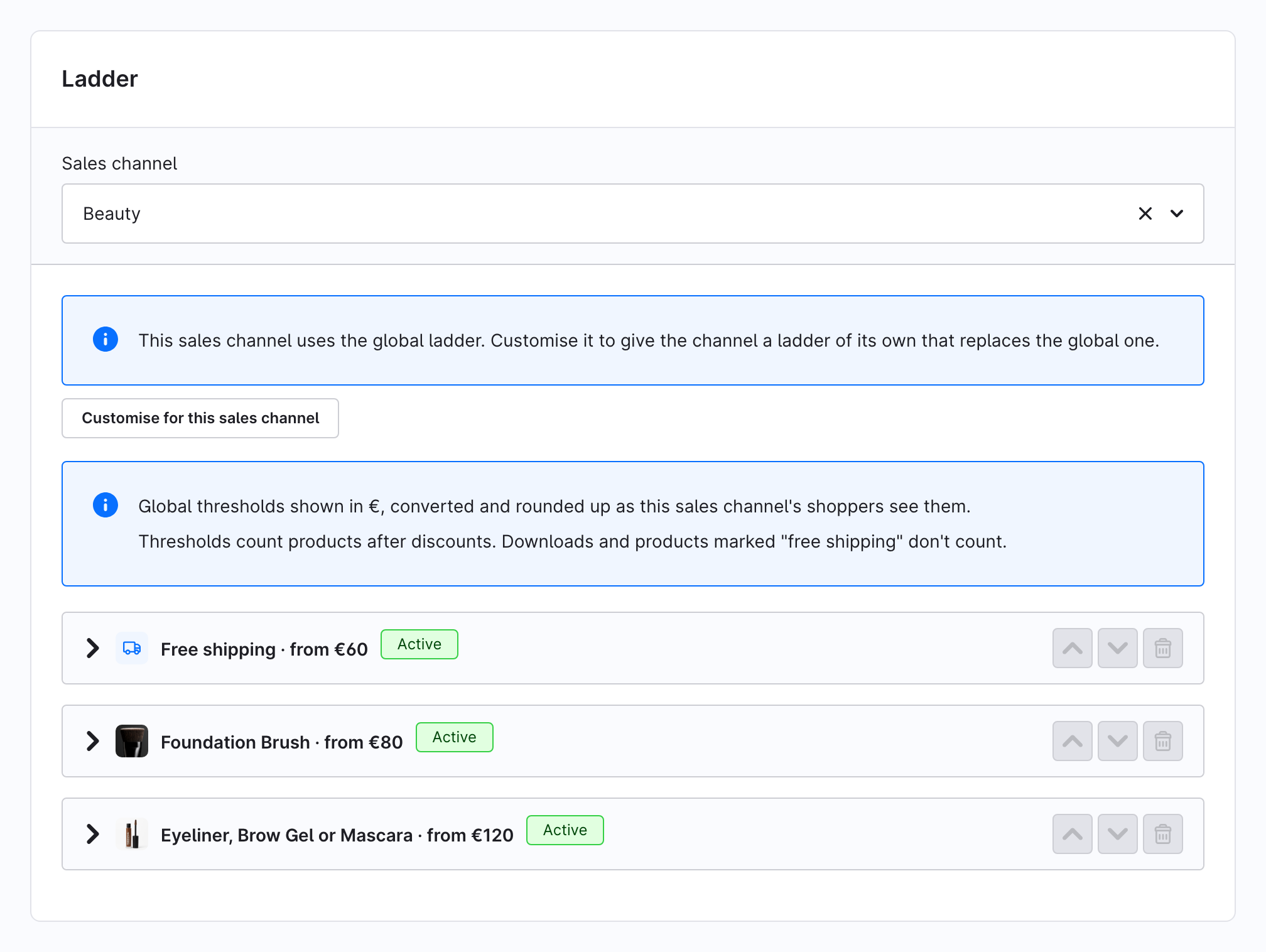
From now on the channel's own ladder replaces the global one in that channel. Changes to the global ladder no longer reach it.
Go back to the global ladder
- Choose the sales channel in the Sales channel field.
- Click Reset to global ladder in the top bar and confirm with Reset.
This deletes the channel's own milestones and the promotions behind its free-shipping milestones. The channel then uses the global ladder again.
Thresholds in other currencies
- Global ladder: thresholds are entered in your default currency. A sales channel in another currency converts them with the currency's factor and rounds them up.
- Channel ladder: thresholds are entered in the channel's own currency and shown exactly as entered. Only shoppers who switch to yet another currency see them converted and rounded.
The rounding step is the setting Round converted thresholds up to in the plugin configuration, per sales channel: no rounding, or up to the next 1, 5 or 10 currency units. With the default (whole currency unit), €60 at a factor of 1.064 becomes CHF 64 rather than CHF 63.84.
The rounded value is the real threshold: the bar, the gift and the free-shipping promotion all use it.
Milestones and languages
Milestones are added in the default language, because each one needs a title there first. Switch the language in the top bar to translate the Title and Description of existing milestones.