
Give gifts
This guide adds gift milestones, lets shoppers choose between gifts (Pro) and explains why a gift can be hidden.
Add a gift milestone
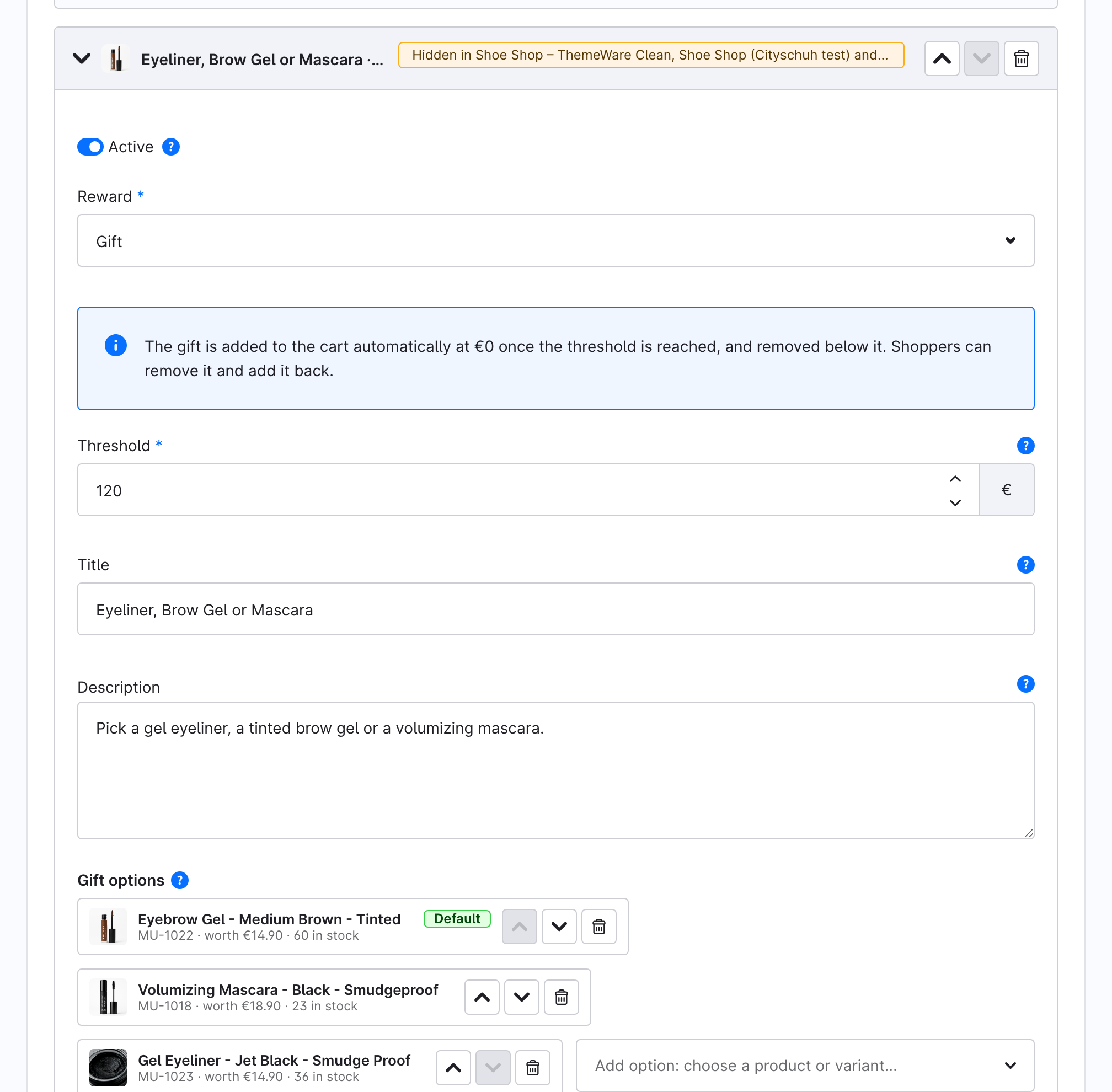
- Open Marketing → Unlock Bar and click Add milestone.
- Set Reward to Gift and enter the Threshold.
- Under Gift options, choose the product. The picker offers only active, available products and variants that are visible in a sales channel the ladder applies to. A parent product with variants can't be a gift: choose one of its variants.
- Optionally enter a Title (empty shows the product's name) and a Description for the gift's popover on the bar.
- Optionally upload an Icon. It replaces the gift's photo as the marker on the bar. The popover keeps the product photo.
- Click Save.
On the free plan the ladder holds one gift milestone. With Pro you can add as many as you like; every unlocked gift milestone adds its own gift.
Let shoppers choose their gift (Pro)
- Expand the gift milestone.
- Under Gift options, use Add option: choose a product or variant… to add more products.
- Order them with the arrows. The first option is marked Default and is the one added to the cart.
- Click Save.
Once the milestone is unlocked, the default gift is already in the cart, and the bar shows a row of thumbnails underneath: "Your €120 gift: tap to swap". One tap swaps the gift.
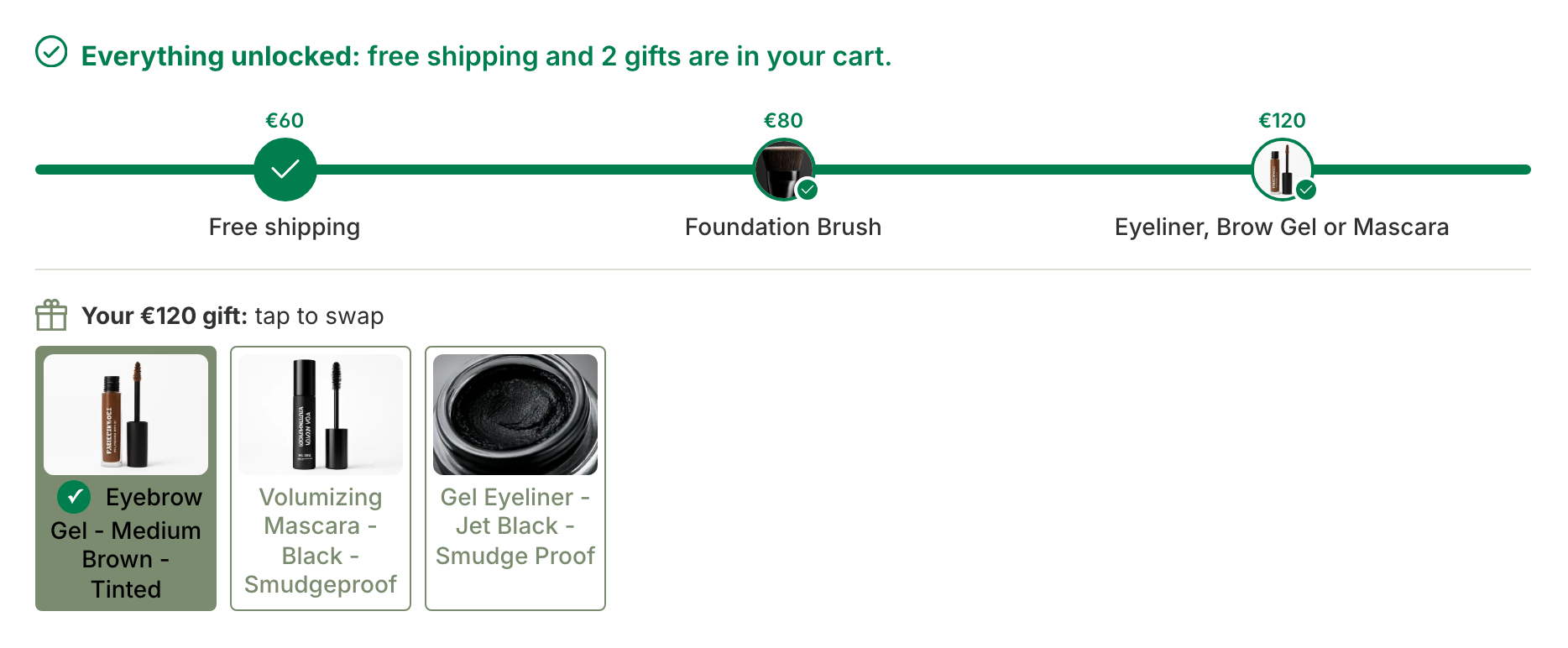
Without Pro, only the default option is offered. The other options stay saved and come back with Pro.
What shoppers see
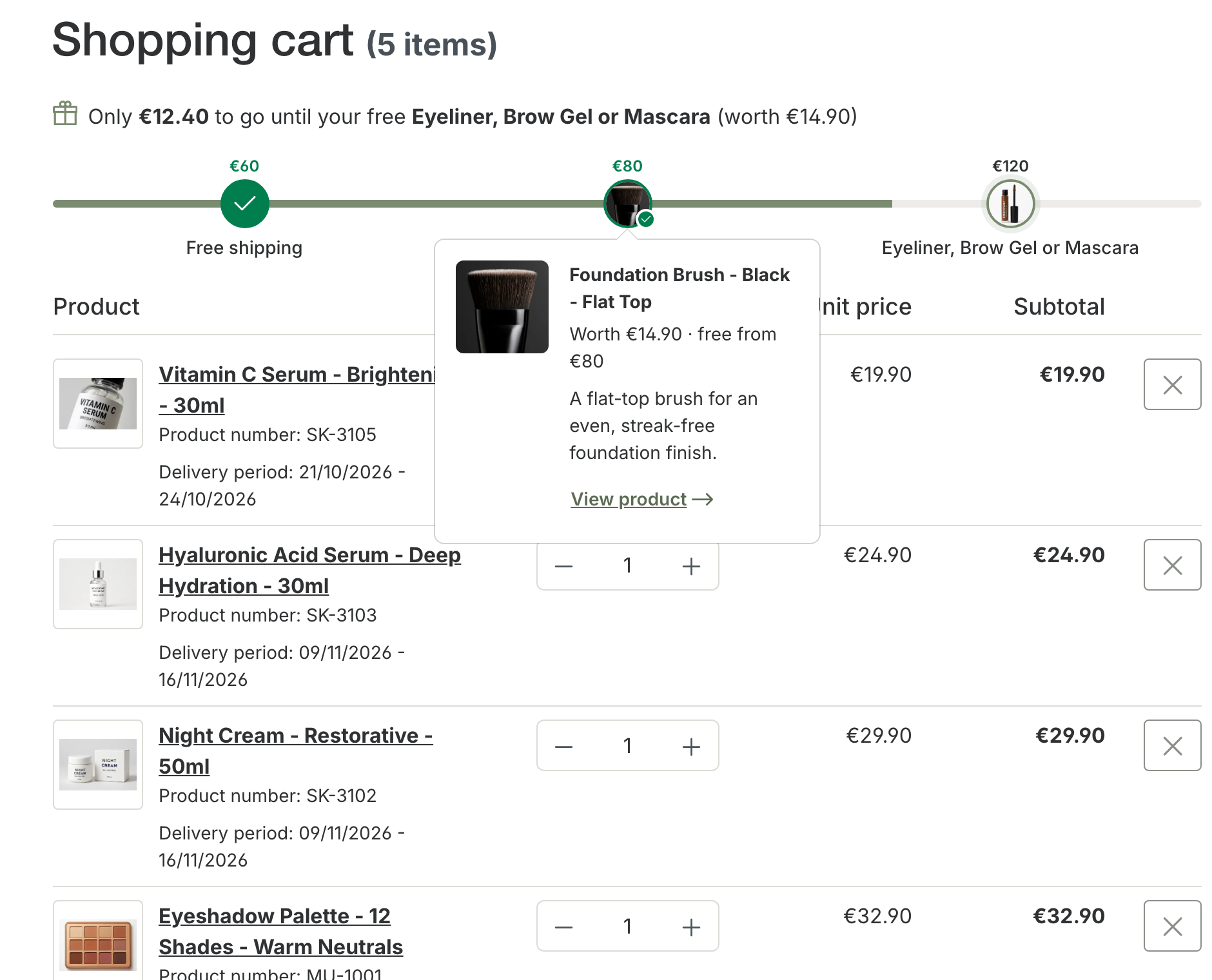
- On the bar: the gift's photo is its marker. Tapping it opens a popover with the photo, name, value, threshold, your description and a link to the product.
- In the cart: the gift is a normal product line at €0, labelled "Free gift" and "Unlocked at €80 · worth €14.90", with a fixed quantity of 1. It carries the real product number and reduces stock like any other product, so your ERP and fulfilment handle it as usual.
- Below the threshold: if the cart drops below the threshold, the gift leaves the cart and a notice says "Your free gift "…" was removed because your order value dropped below its threshold."
Removed gifts
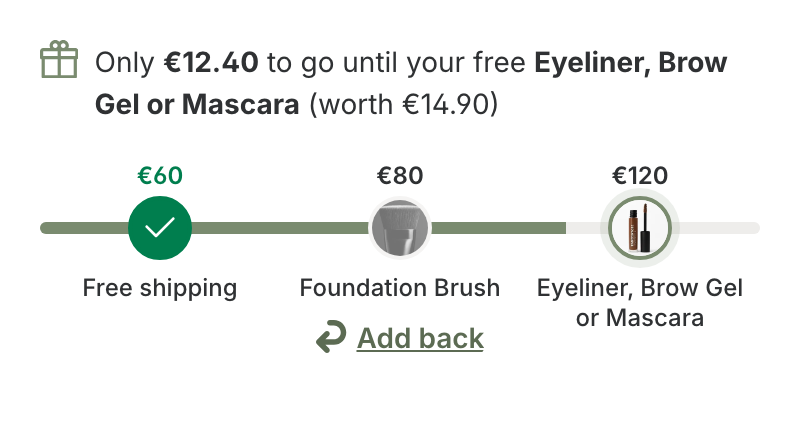
A shopper can remove a gift from the cart. It then stays out for the rest of that cart, and its marker turns grey with an Add back link, also in the popover. Add back restores it in one tap. Swapping between gift options never counts as removing.
Why a gift is hidden
Unlock Bar never promises a gift the shop can't give. A gift milestone is hidden in a sales channel when none of its options can be given there. Its status pill then says Hidden in [sales channels]: [reason], and a warning under the gift options names each product. The reasons are:
| Reason | Fix |
|---|---|
| no gift product | Choose a product under Gift options. |
| product deleted | Choose another product. |
| product inactive | Activate the product. |
| product has variants | Choose one of its variants instead. |
| not visible | Add the product to that sales channel under the product's Visibility. |
| out of stock | Restock it, or turn off closeout for the product. |
Headless (API) sales channels are listed in a separate blue note, so they don't raise the warning.
Saving is never blocked by these warnings, because stock and visibility change on their own.