
Adjust a customer's points balance
Sometimes you need to change a balance by hand — a goodwill gesture, a correction, or compensation. Reward Engine adds a loyalty section to the customer record for exactly this.
Adjust a balance
- Go to Customers and open the customer.
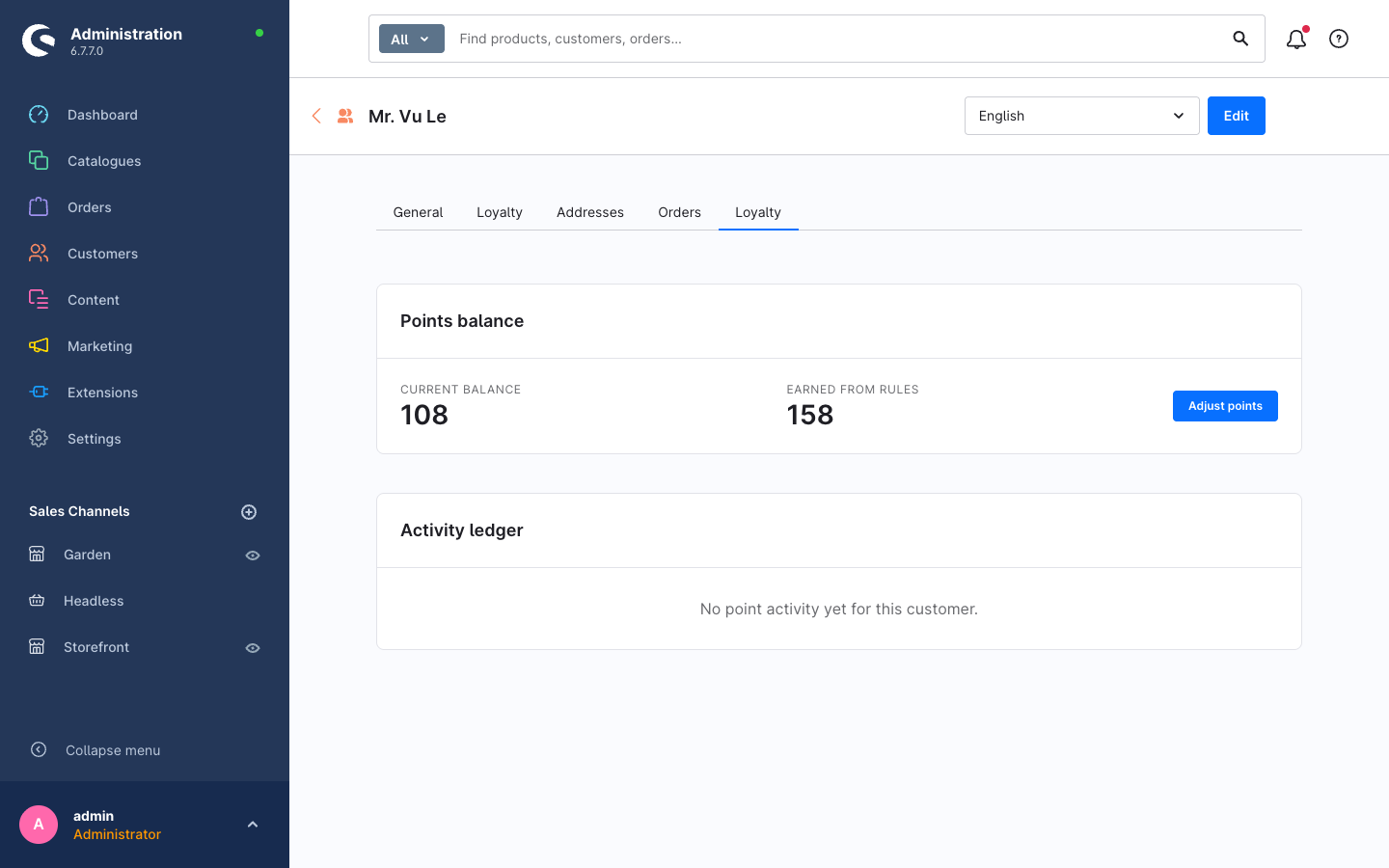
- Open the Loyalty tab on the customer detail page. It shows the Points balance (current balance and points earned from rules) and the Activity ledger of past movements.
- Click Adjust points to add or remove points. Enter the amount and a reason.
- Save. The adjustment appears immediately in the ledger and in Point Activity.
The adjustment cap
A single manual adjustment is limited by the Max manual adjustment (points) setting (default 10,000) to guard against typos. Set it to 0 to remove the cap. See the configuration reference.
Refunds are handled automatically
You don't need to adjust balances to undo points from a refunded order. Reward Engine's log is refund-safe: when an order is refunded, the points it originally granted are reversed automatically and recorded as a movement. Reserve manual adjustments for cases the engine can't infer.