
Add a free-shipping progress bar
Goal: show a progress bar at the top of the cart (page and off-canvas drawer) that tells customers how much is missing until free shipping — "You're only 12.50 € away from FREE shipping!" — and updates as the cart changes.
Before you start
The bar is presentation only: it displays progress towards a threshold you configure. The actual free-shipping discount stays where it belongs, in your own shipping settings or a Shopware promotion. Keep both values in sync.
1. Create the offer
- In Marketing > Ultimate Upsell, click Add offer in the Free shipping bar group.
- Name it and continue to the Content tab.
- Assign the free-shipping bar layout (shipped with the plugin) — it contains the Free-shipping progress bar element.
2. Configure the bar
In What this offer shows, configure the element:
| Field | What it does |
|---|---|
| Threshold | Cart total that unlocks free shipping. |
| Progress message | Shown while below the threshold. Use {remaining} as a placeholder for the amount still needed. |
| Complete message | Shown once the threshold is reached. |
Example: threshold 50, progress message You're only {remaining} away from FREE shipping!, complete message You've unlocked FREE shipping!.
3. Publish and verify
Click Publish, then add a product below the threshold to the cart. The bar renders at the top of the cart page and the cart drawer, partially filled:
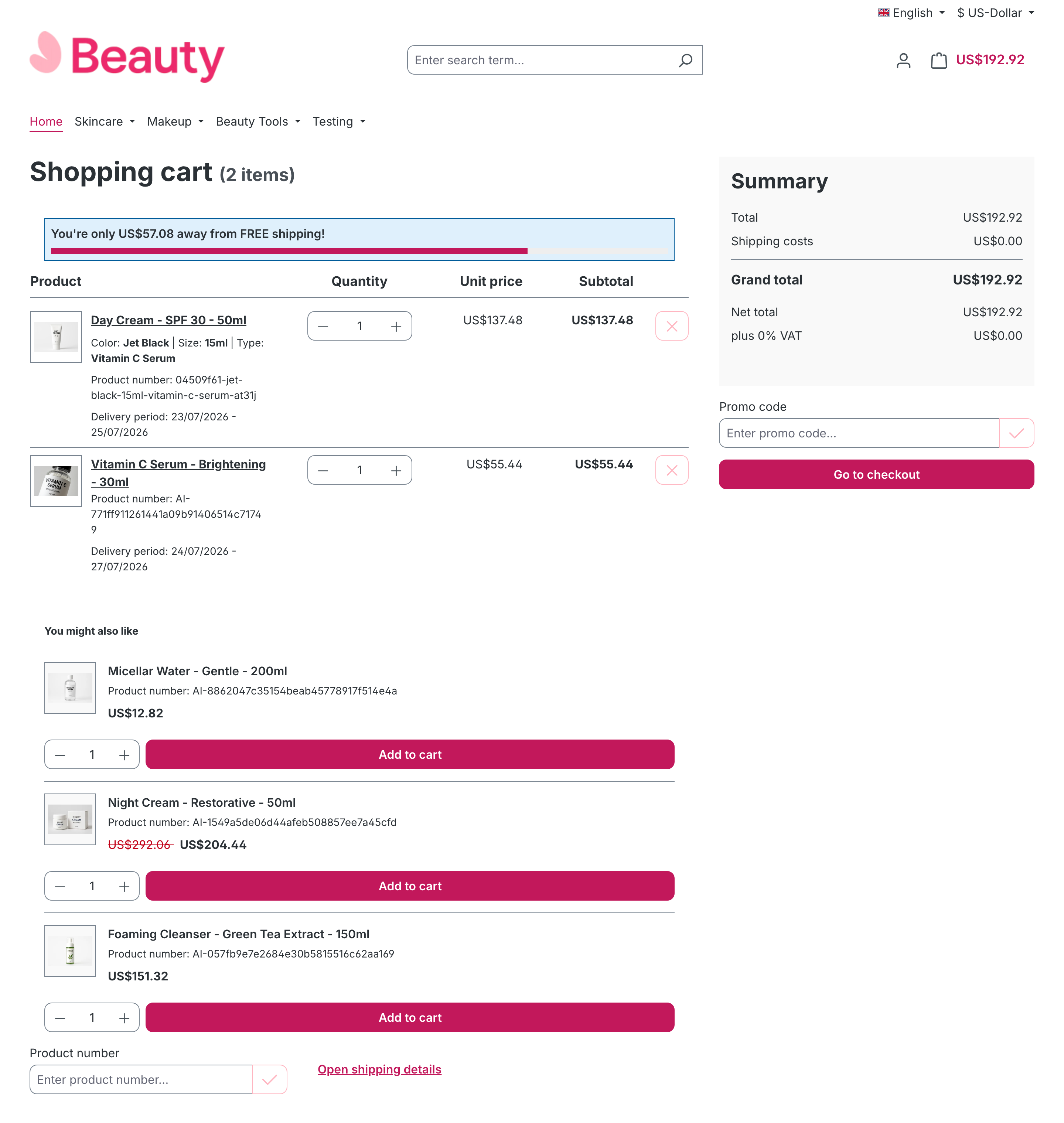
The bar measures the goods total (product positions, after automatic discounts, without shipping costs), so the shipping cost itself never pushes the cart over its own threshold. Once the goods total crosses the threshold, the bar switches to your complete message.
Tips
- Limit the bar to specific channels or audiences on the When and Where tabs like any other offer — see Target offers.
- A bar with an empty or zero threshold renders nothing; the threshold is required for the bar to appear.