
Getting started
In this tutorial you set up a ladder with free shipping from €60 and a free gift from €80, then watch both unlock in your storefront. It takes about ten minutes and works on the free plan.
You need:
- a Shopware 6.7 shop with at least one storefront sales channel;
- one product you want to give away, as a concrete product or variant that is active, in stock and visible in that sales channel.
1. Install and activate the plugin
- In the administration, open Extensions → My extensions.
- Find Unlock Bar and click Install, then switch it to Active.
Unlock Bar now has its own page under Marketing → Unlock Bar. Its settings live in the plugin configuration, which you reach from Extensions → My extensions → Unlock Bar → Configure.
2. Add free shipping
- Open Marketing → Unlock Bar. A new shop shows an empty ladder.
- Click Start with free shipping from €… (or Add free shipping if your shipping settings never make shipping free).
- The milestone opens. If your shipping price matrix already has a free range, the threshold is prefilled from it and a hint below the field says where it came from. Otherwise enter 60.
- Leave Title empty. The storefront then shows "Free shipping" in each shopper's language.
- Click Save.
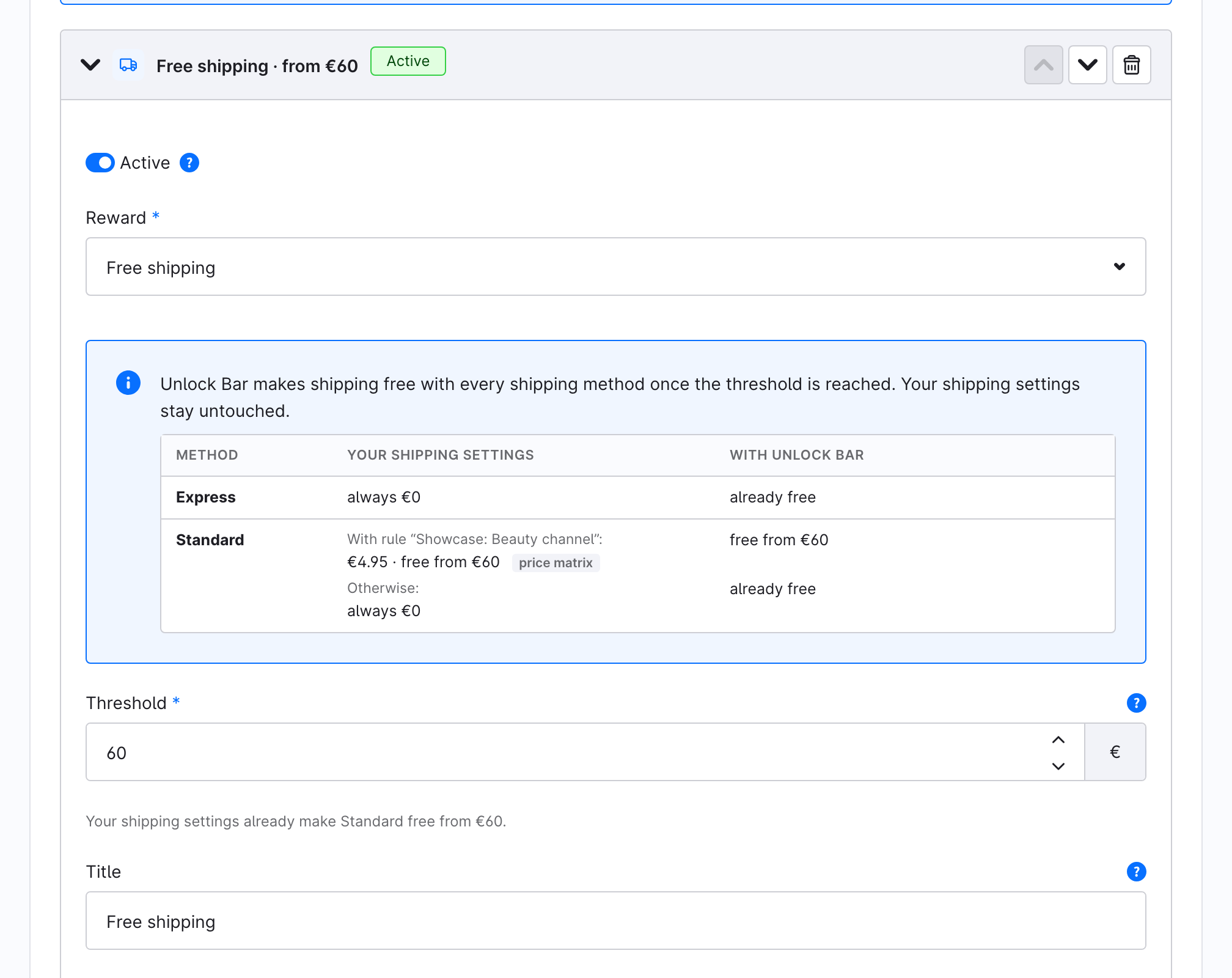
The table inside the milestone shows each shipping method: what your shipping settings charge today, and what Unlock Bar adds. From €60 every method ships free, because Unlock Bar creates a Shopware promotion that makes shipping free. Your shipping settings stay unchanged.
3. Add a gift
- Click Add milestone.
- Set Reward to Gift.
- Enter 80 as the threshold.
- Under Gift options, choose the product you want to give away. Pick a variant, not a parent product with variants.
- Optionally add a Description. Shoppers see it when they tap the gift on the bar.
- Click Save.
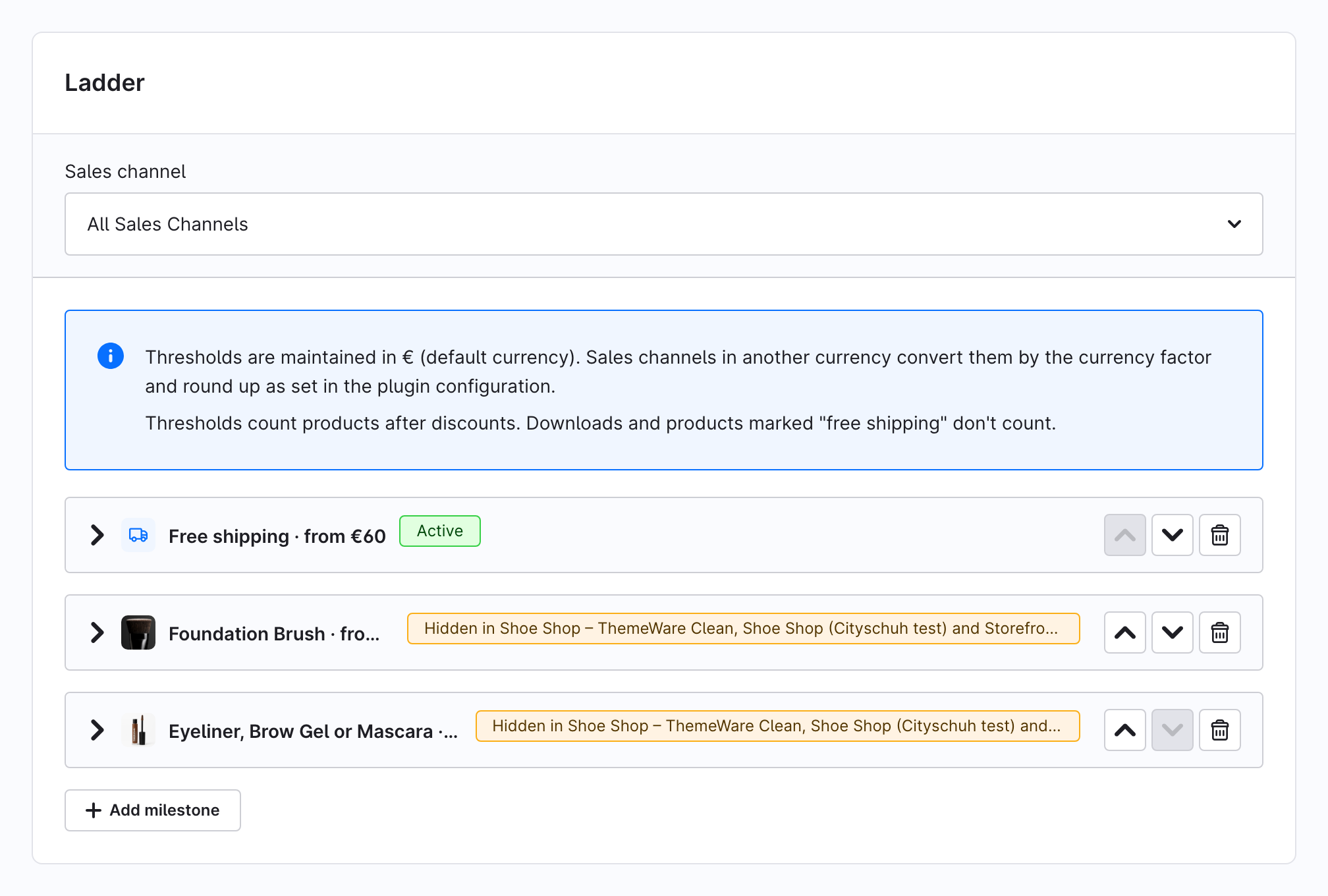
The free plan holds one free-shipping milestone and one gift milestone. Pro removes that limit: see Get Unlock Bar Pro.
4. See it in the storefront
Open your storefront in a private window and add a product worth less than €60 to the cart. The off-canvas cart opens with the bar: "€… to go until free shipping".
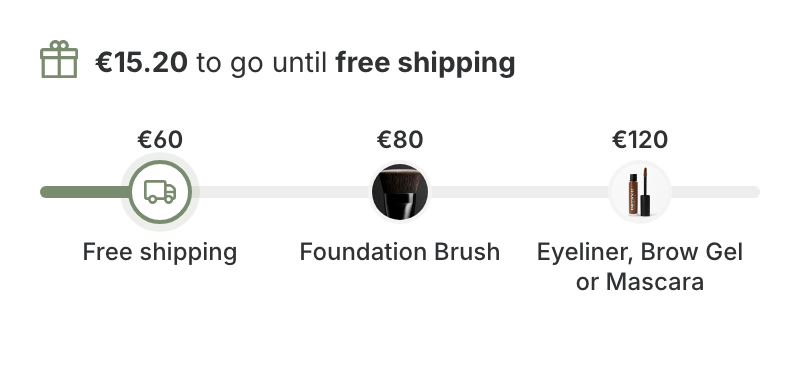
Add more products until the cart passes €60. The free-shipping marker gets its ✓, and the checkout's shipping costs drop to €0.
Pass €80. Your gift appears in the cart at €0, marked "Free gift", with a fixed quantity of 1.
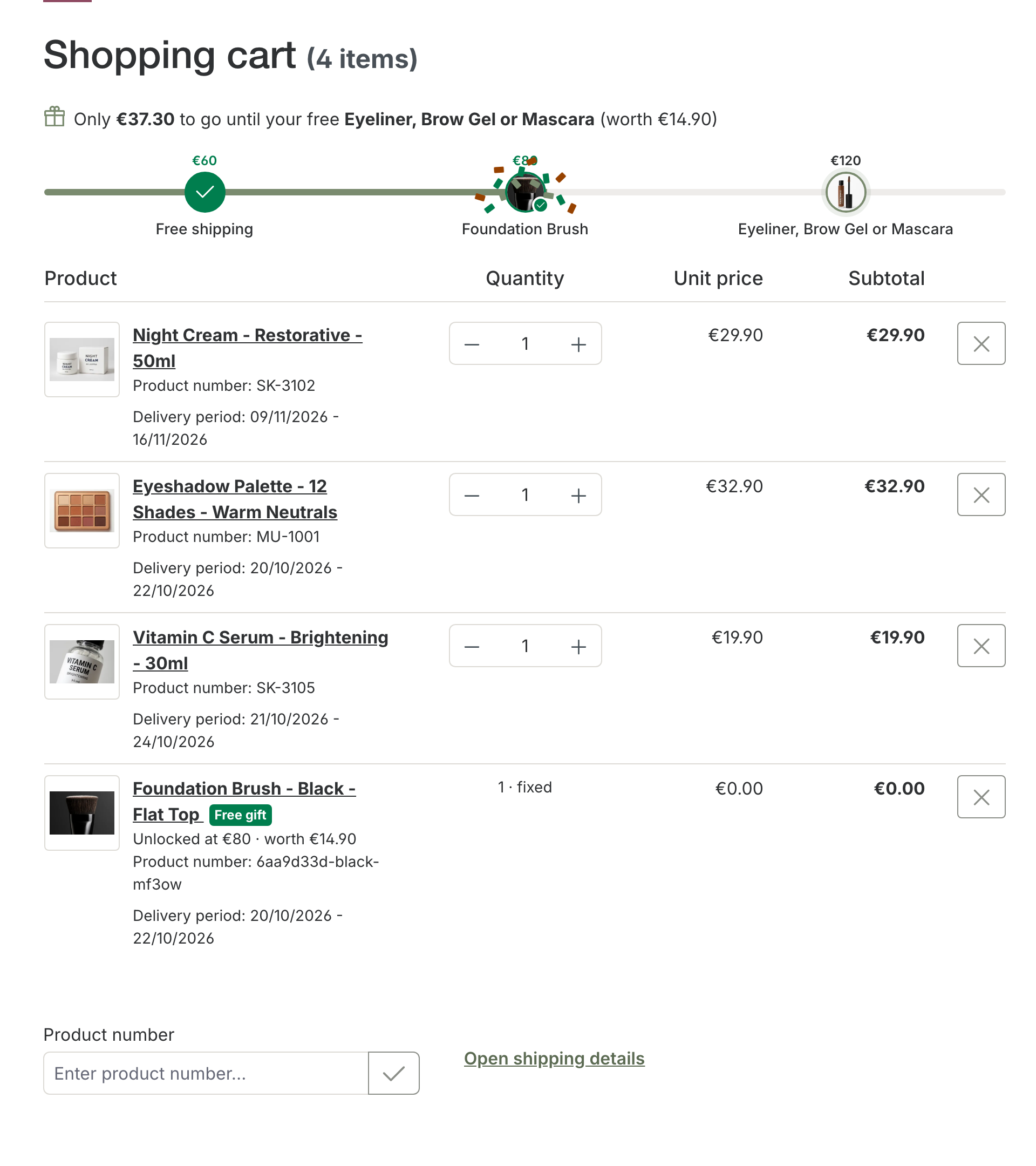
Remove products again until the cart is below €80: the gift leaves the cart and a notice says why.
What you have now
- A ladder of two milestones that applies to every sales channel.
- A Shopware promotion that grants free shipping from €60. You can see it under Marketing → Promotions; Unlock Bar keeps it in sync, so don't edit it there.
- A gift that the cart adds and removes by itself.
Next steps:
- Change where the bar shows and how it looks
- Give gifts, including what shoppers can do with them
- Concepts, for what "threshold" and "qualifying amount" mean exactly