
Measure reel performance
Goal: see which reels get watched, which drive add-to-carts, and how much revenue they bring in.
Switch measurement on
Measurement is off by default. In the configuration, switch on Measure reel performance. From then on the storefront records anonymous, first-party events: impression, play, completion, product card click, add-to-cart and purchase. No cookies, no third party — events are rows in your own database.
While measurement is off, the Analytics tab shows a notice and a shortcut to the setting; historical numbers stay visible.
Read the dashboard
Open Content > ReelCart — the module opens on the Analytics tab.
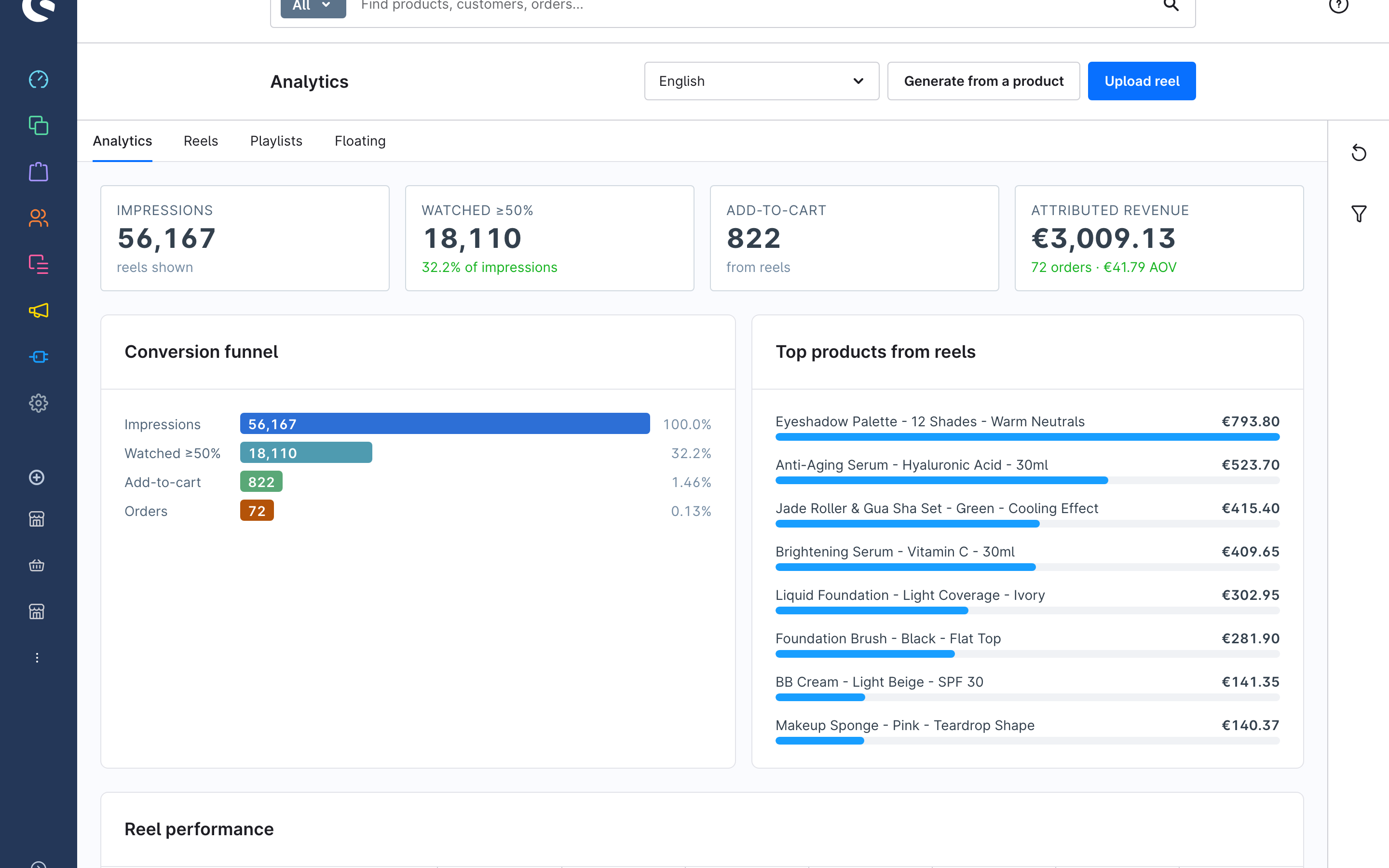
- KPI tiles — Impressions (reels shown), Watched ≥50% (with its share of impressions), Add-to-cart from reels, and Attributed revenue with order count and average order value.
- Conversion funnel — impressions → watched ≥50% → add-to-cart → orders, each as a share of impressions.
- Top products from reels — products ranked by reel-attributed revenue.
- Reel performance — per reel: impressions, watch rate, add-to-carts, orders, conversion and revenue.
Use the filter sidebar to change the Period and restrict to a Sales channel. Refresh reloads the numbers.
How revenue is attributed
When a shopper adds a product to the cart from a reel, the cart line item carries the reel's ID. When that cart becomes an order, the order line item's revenue is credited to the reel. A product added from anywhere else is not counted, even if the shopper watched a reel earlier. This is "reel-assisted" attribution, not multi-touch modelling — it tells you what the reel directly sold.
The same numbers appear as columns in the Reels list (30-day views, watch rate, add-to-carts, revenue).