
Set up free shipping
This guide sets up the free-shipping milestone and explains what the milestone shows you. It assumes you have done Getting started.
Add or change the free-shipping milestone
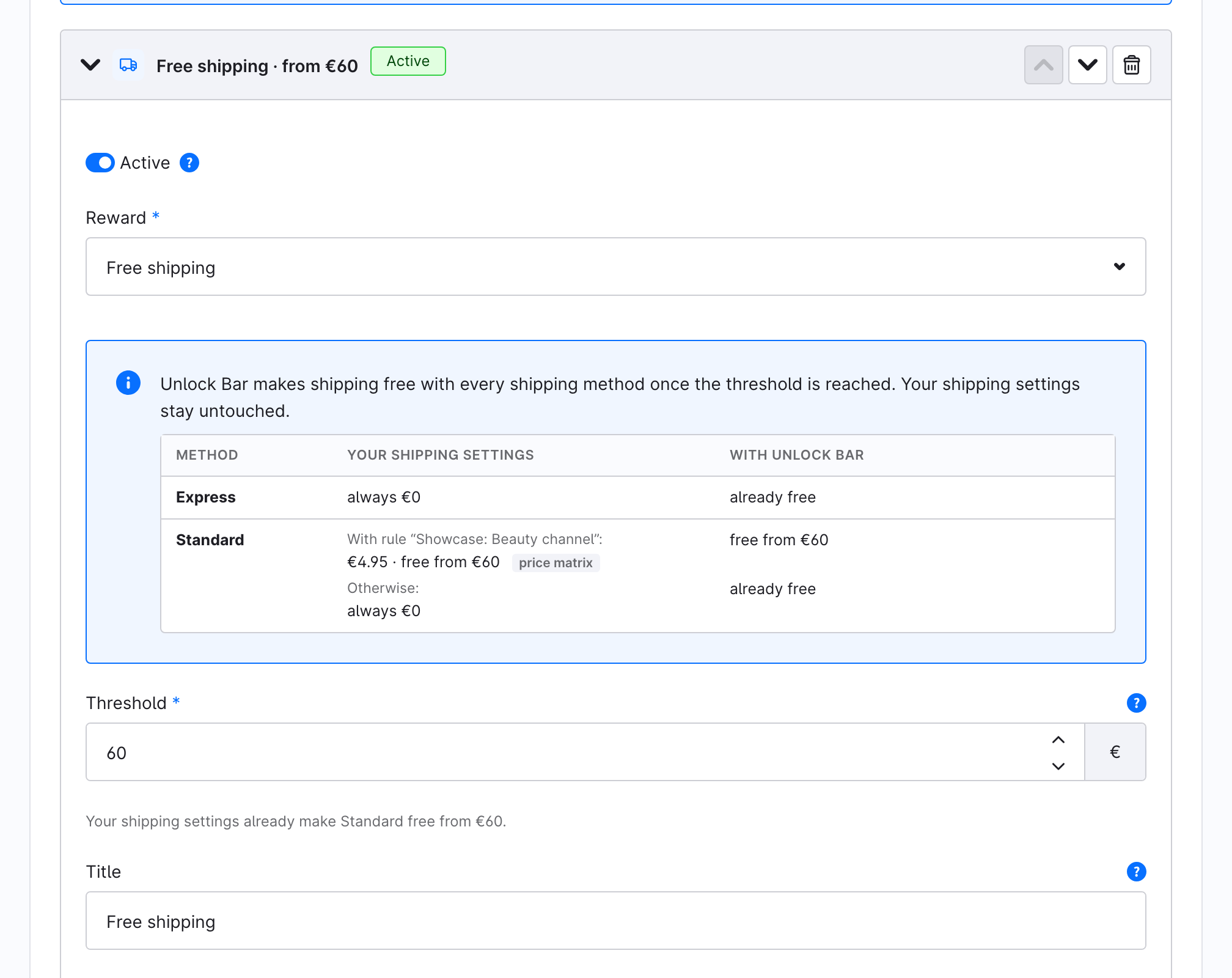
- Open Marketing → Unlock Bar and expand the free-shipping milestone, or click Add milestone and set Reward to Free shipping.
- Enter the Threshold: the cart value after discounts from which shipping is free. A new milestone is prefilled with the lowest "free from" amount of your shipping settings, and the hint under the field names the method it came from.
- Optionally enter a Title. It appears on the bar and, as the promotion's name, in the cart and on the order. Leave it empty to show "Free shipping" in each shopper's language.
- Click Save.
Read the shipping-method table
The table inside the milestone has one row per active shipping method:
| Column | Shows |
|---|---|
| Your shipping settings | What the method charges today, read from its price matrix, such as "€4.95 · free from €60", "€9.95 · never free" or "always €0". When a method has prices for a rule, each rule gets its own line ("With rule ...😊, followed by "Otherwise:" for everyone else. |
| With Unlock Bar | What the method costs once the milestone applies: "free from €60", or "already free" when your settings make it free anyway. |
Some prices can't be read as a single amount, such as prices by weight, by item count or by a calculation rule. The table then says "not derivable" and the reason. Unlock Bar still grants free shipping from the threshold on those methods.
The table uses amounts in your default currency. It is left out for a sales channel whose own ladder uses another currency.
What happens at checkout
Unlock Bar never changes your shipping settings. For each free-shipping milestone it creates one Shopware promotion that makes shipping free with every shipping method once the cart reaches the threshold. The promotion is named after the milestone's title and is listed under Marketing → Promotions.
Unlock Bar keeps that promotion in sync:
- Saving the milestone repairs the promotion: it is recreated if it was deleted, and edits made in the promotion module are reset.
- Deactivating the milestone deactivates the promotion. Deleting the milestone, or changing it to a gift, deletes it.
- Deactivating the plugin switches every Unlock Bar promotion off; activating it again switches them back on.
If the milestone's status pill says Not granted right now, the promotion is missing or inactive. Click Save to repair it.
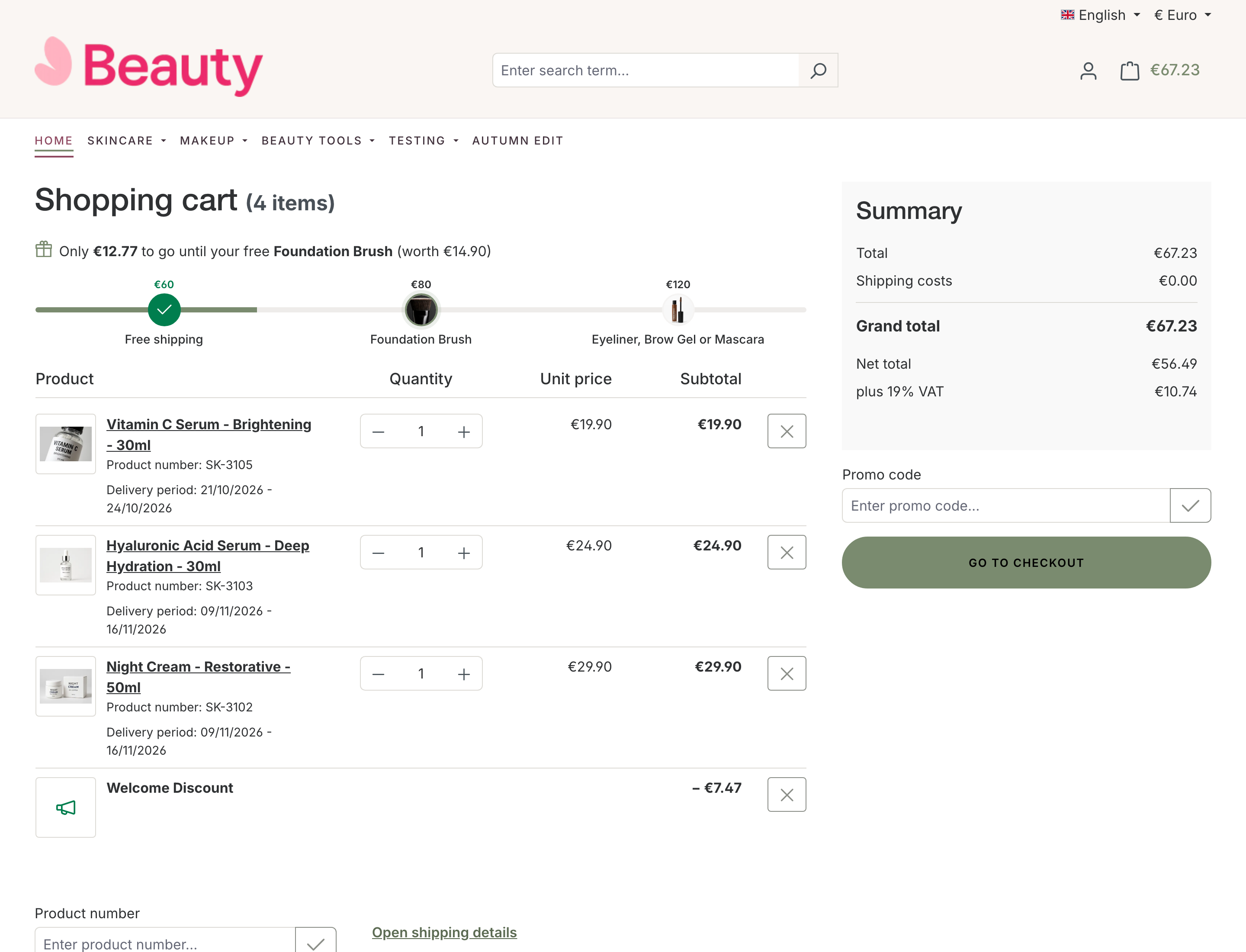
The bar shows free shipping as unlocked only when the calculated cart really has €0 shipping. When your own price matrix makes the selected method free sooner than the milestone does, the bar shows the lower amount.
What counts toward the threshold
The threshold is compared with the cart's products after promotion discounts. Downloads and products marked "free shipping" in their delivery settings don't count, and neither do gifts. A voucher therefore moves the cart away from the threshold, and the bar says so. See Qualifying amount.
Different thresholds for different customers
With Pro, a free-shipping milestone can carry a Show only to rule, for example "members from €40, everyone from €60". A ladder holds one free-shipping milestone for everyone plus one per rule, and each shopper gets the lowest one that applies to them. See Show milestones to some customers only.