
Clean up products that left the listing
A product you placed can disappear from a category's listing later. It might be deleted, deactivated, removed from the category, or have its storefront presentation changed. The plugin never drops such an entry silently. Shoppers don't see it, but the Sorting tab reports it so you can decide what happens to it. This guide shows how to review these stale pins and remove them.
Leaving them alone does no harm. A stale entry is ignored on the storefront. If the product comes back, for example a seasonal product you reactivate, it gets its old slot back.
Review what's missing
Open Catalogues › Categories, select the category and open the Sorting tab.
Pick the sales channel you want to check in the Sales channel field.
If placed products are missing from the listing, an amber banner appears above the canvas:
- in a sales channel with its own order: Positioned products no longer listed: N;
- in the shared order: Not listed in this channel: N. These products may still be listed in another sales channel.
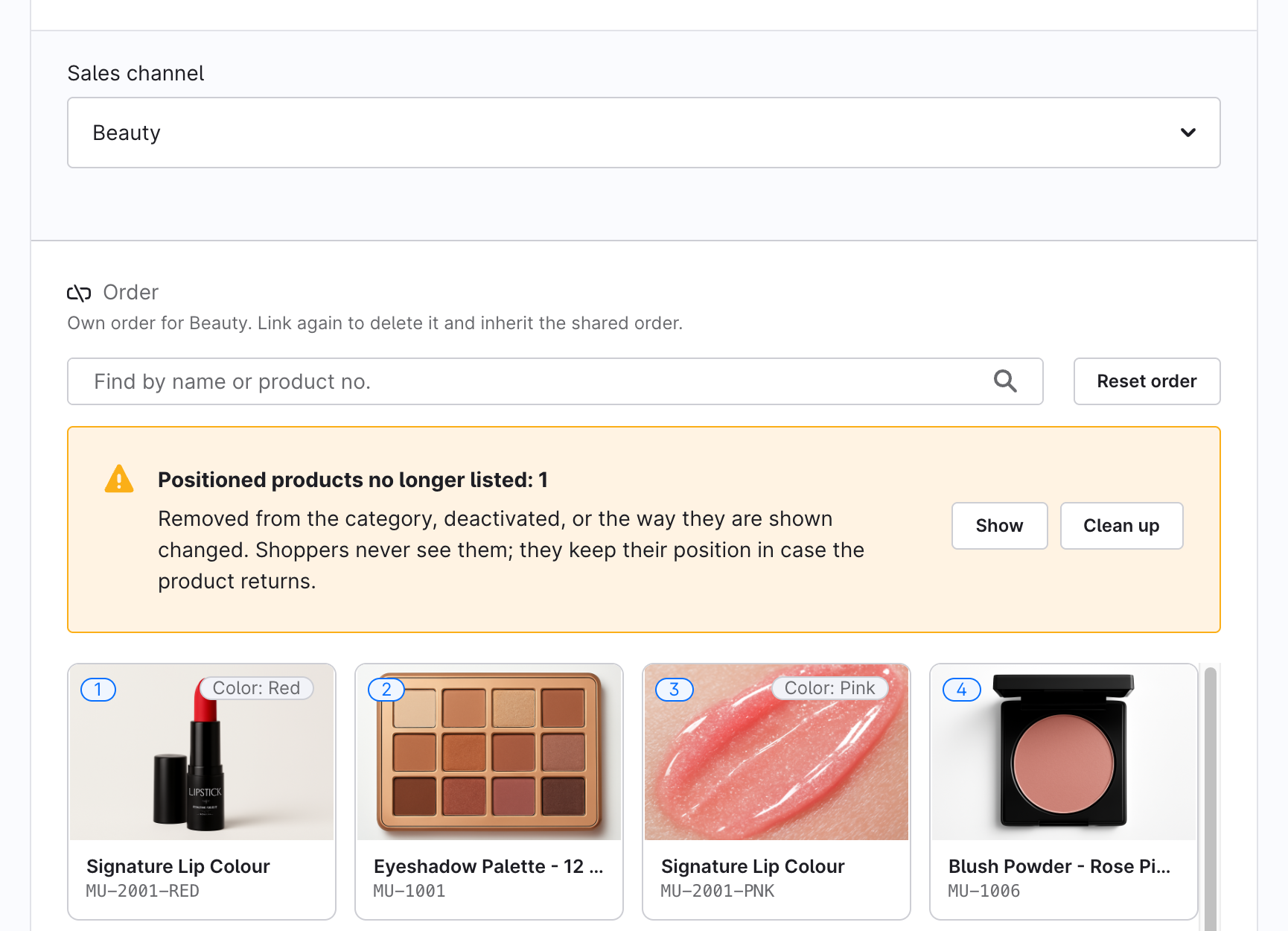
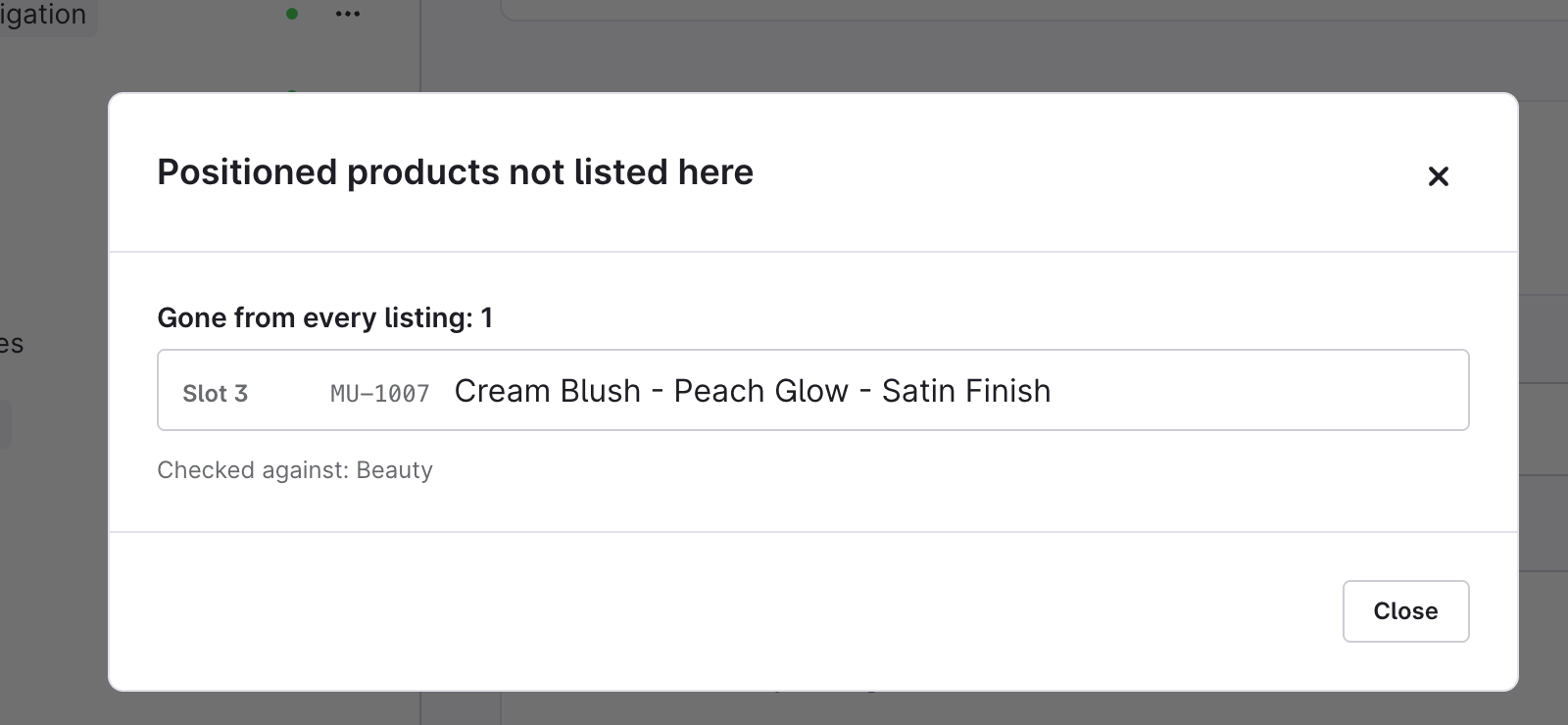
Click Show. The plugin checks every sales channel the order applies to and lists the products in two groups:
- Gone from every listing: these are stale. Clean up removes them.
- Still listed in another channel: each one names the channel that lists it. These aren't stale and are never removed. They're only hidden in the channel you're previewing.
Each row shows the product's slot, product number and name, or Product removed if the product was deleted. Below the list you can see which sales channels were checked.
Remove the stale entries
- Click Clean up in the banner.
- Confirm Remove these products from the order? with Remove them.
Only the products that are gone from every listing are removed. The remaining products close up the gaps and keep their order. You can't undo this.
When Clean up is unavailable
- The selected sales channel inherits the shared order. Cleaning up would delete entries from the shared order through a channel that only shows it. Pick All Sales Channels, or give the channel its own order, and try again. Show still works.
- The banner says Cannot be checked. Either the category's listing is longer than the preview limit in at least one sales channel, so a missing product may simply be past that limit, or no active sales channel serves this order. For the first case, raise Maximum tiles loaded into the admin preview in the plugin settings.
- Your admin role is read-only for categories. Viewers can use Show but not Clean up. See Permissions.