
Create a way to earn points
A way to earn (a reward rule) decides when customers receive points or a reward. This guide assumes you've completed Getting started.
Go to Marketing → Reward Engine → Ways to earn and click Create earn rule. Each rule is built from three steps — WHEN, GIVE, and ADVANCED — that you open and Edit in turn.
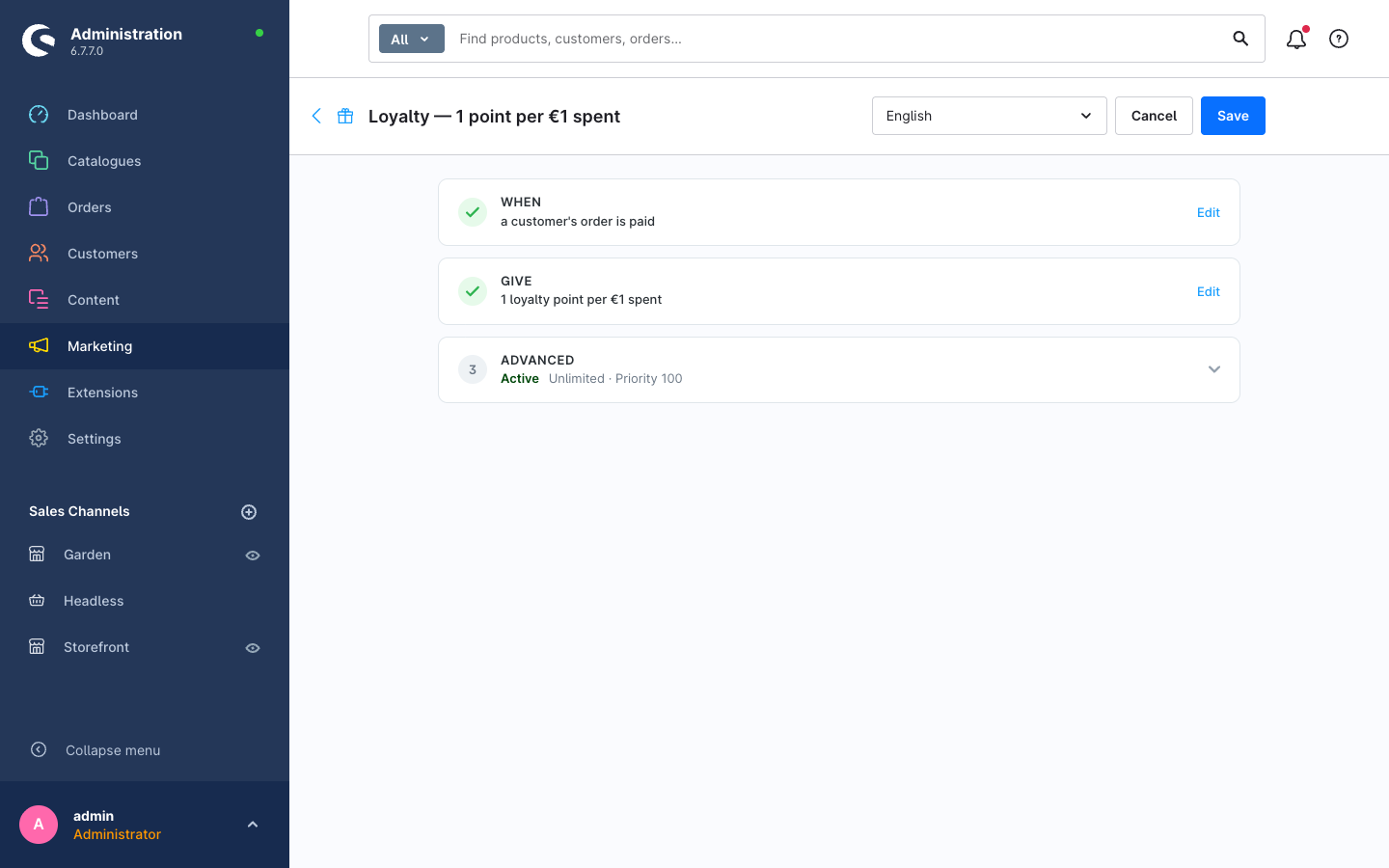
WHEN — the trigger
Pick the event that makes the rule run, for example a customer's order is paid. The trigger determines which other options are relevant.
GIVE — the reward
Choose what the customer receives. The most common is points — either a fixed amount or an amount tied to spend (e.g. 1 loyalty point per €1 spent). The Live preview in this step shows what a sample order would earn. Points awarded here later become spendable through a way to redeem.
ADVANCED — status, limits and targeting
This step holds everything else:
- Active — whether the rule is live.
- Limits & schedule — cap how often the rule fires (per customer or overall) and restrict it to a date range. Use this for time-boxed campaigns or to stop a single customer from farming a rule.
- Priority — the order in which rules are evaluated.
- Who matches — optionally restrict the rule with a Shopware Rule Builder condition. Because this is the native Rule Builder, any condition you can express for promotions or shipping is available here — customer group, order count, cart value, country, and so on. Leave it empty to match everyone.
Publish
Save the rule. Use the Live preview in the GIVE step to confirm the outcome, or open the Simulator to test against a realistic cart before going live.
Points stacking across multiple active rules is capped per cart by the Max simultaneous rewards per cart setting — see the configuration reference.